Posts

Showing posts with the label IT

Chromebook Update 2019

Image
For those of us who are more technically inclined, this post is for us. For those of us who are here for the Lectionary Reflections, those are still continuing but you might want to skip this post (though I think some of us might find it insightful). I’ve recently been following Jason Evangelho on Twitter. Jason writes for Forbes about Linux and hardware and has been looking at different Linux Operating Systems (OS) — Deepin , elementaryOS , Manjaro , Ubuntu , etc. — and the user experience they offer. This morning I saw the following tweet: 2019 may mark the beginning of Linux for the PC masses … just not on actual Linux machines. #Chromebook #WSL2 It prompted my response: I’ve used a #chromebook as my daily driver since 2015 and I’ve been in IT for 20 years. One of the best tech decisions I’ve ever made. It convinced me that most people (90% +) could do everything they need with one. When I sent a link about my experience with Chromebooks, I realized I only had two pos...

Chromebook Update!

Image
About a year ago, I wrote a post about switching to a Chromebook , so I thought I’d give an update to my decision. I still love it! There’s only one set back to it— booklets . When I do a retreat or lead a service, I generally use my own liturgical booklets. Each booklet’s geared specifically to the situation. And in each case, I need an office suite that has some sort of drawing application—one that will allow me to use text fields and add images. If you’ve never created a booklet (or pamphlet) it can be a trying task if you don’t have the right application. Most people think that you can just use a word processor (Microsoft Word, Google Docs, etc.), but for the life of me, I can’t get them to do what I need them to do. For example, when using Google Docs, I just create a document. The whole page is like a giant text box. I start typing and the text appears on the page from left-to-right and fills up the space between the margins. Sure, I can add an image to this document...

Why I Switched to a Chromebook

Image
I haven’t written a post about technology in a long time so I thought I’d give an update. As most of you know, I’m a big proponent of Open Source Software (OSS). And I’ve been a user of various Linux Distributions for a number of years. Most recently, I’ve used Xubuntu , LinuxMint , and elementaryOS . Everyone of those Operating Systems (OSes) has their strengths and weaknesses, and the weaknesses are easily fixed. The biggest issue for me, wasn’t the software; it was my hardware. Almost seven years ago I was given an Aspire 4730z by a colleague and it’s been a fantastic computer. Recently, however, it started freezing up. Then I thought the wireless card was failing. After about 30 minutes I’d lose connectivity to my router, so I bought a micro USB card. But then the USB ports started to go out. At this point it seems to be more of a motherboard issue, which is a whole other level of repair. It’s doable, but it’ll take time and money. The problem was I was in the middle ...

Happy Saucy Salamander Day!

Image
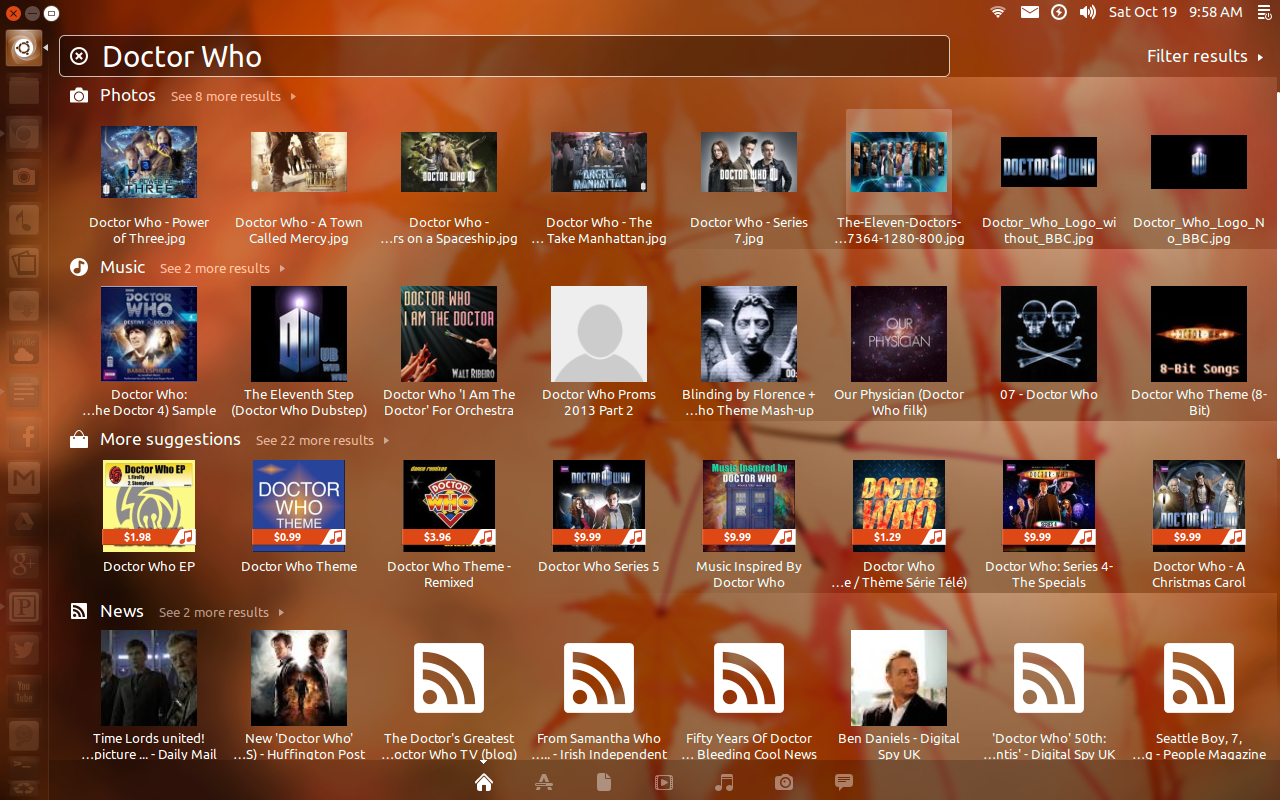
Besides being my sister’s birthday, October 17th marked the release of Ubuntu ’s latest OS (Operating System)— Ubuntu 13.10, the Saucy Salamander ! This release lays the foundation for a full convergence on all of your devices— desktop , laptop , server , cloud , as well as phones and tablets . As usual, I’ve been using this release since the beta and it’s been very stable and fast. While there hasn’t seemed like a lot of changes on the user’s side of things since the previous release (13.04), there has been a lot going on “under the hood” to enable this convergence. Most notably has been the focus of making the core of this release work on mobile devices. With that stated, let’s look at some of the features this release brings to the forefront. One of the biggest features is the full implementation of “ Smart Scopes .” This relates to the results one finds when doing a search in the Dash. And it’s gotten a lot of unwarranted bad press, in my opinion. Let’s say you want to search ...

Ubuntu for Phones!

Image
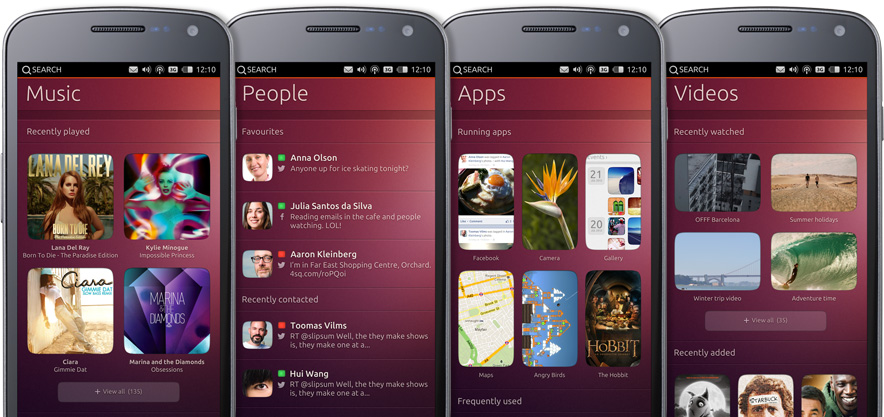
After a couple of days of intrigue (there was a banner counting down on Ubuntu’s home page), Ubuntu released a new video showcasing their latest venture - Ubuntu for phones! This is an exciting time! Once more, Ubuntu seems to be poised to do something that no one else has been able to do - bring one user experience to all of our computing platforms. According to the video, Ubuntu will be at the Consumer Electronic Show (CES) next week to demo the operating system (OS) and work with original equipment manufacturers (OEMs) You can watch the announcement video below. http://youtu.be/cpWHJDLsqTU

I'm Back!

Hi. My name’s Jack. “Hello Jack.” I’m a distrohopper . “We’ve all been there, brother. You can lean on us.” I say this all tongue-in-cheek but I really have been hopping from Linux distribution to Linux distribution. I had stopped doing this for a long time but, lately, I started up again. There’s a reason for my madness, though. Really. There is. You see, I like watching some TV shows through my laptop on my big screen (see this post for more insight into what I’ve been watching). And Ubuntu has been a flawless experience. No hiccups at all. Nada. Zilch. “But?” But I’ve been wanting to try out the latest version of Gnome Shell , the desktop environment (DE) for Gnome 3. The DE is the graphical part of your computer (aka, the GUI or graphical user interface). It’s what you see when you turn on your computer - the desktop, folders, icons, mouse pointer, etc. When Ubuntu got wind of Gnome leaving their old DE, they had a decision to make - either use a version of Gnome Shell (like they...